
For your security, Email Two-Factor Authentication (2FA) is now required. The first time you log in, you’ll need to set up 2FA to protect your account. This process only takes a minute and ensures that your account stays safe from unauthorised access.
Follow the steps below to complete your 2FA setup quickly and easily. Once done, you’ll enjoy a more secure and protected login experience every time.
Step 1: Login to your account, you will be taken to the Security page
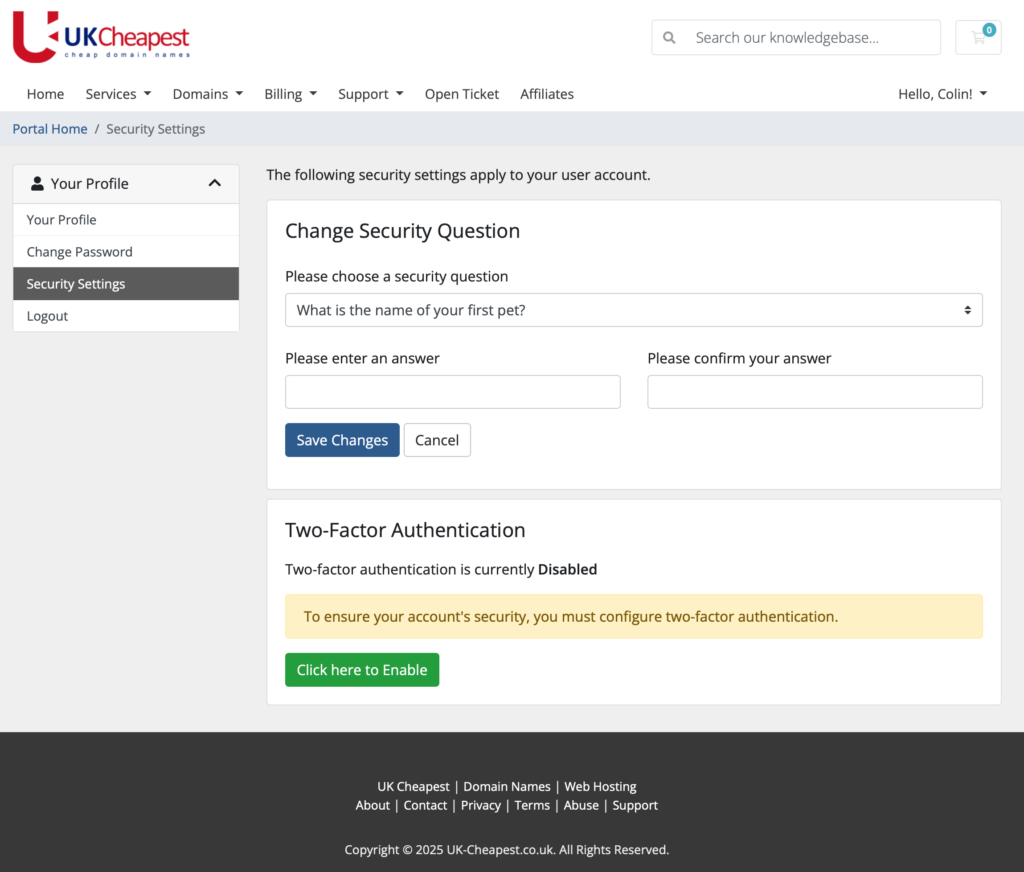
Step 2: “Click Here to Enable” will take you to setup then click “Get Started”
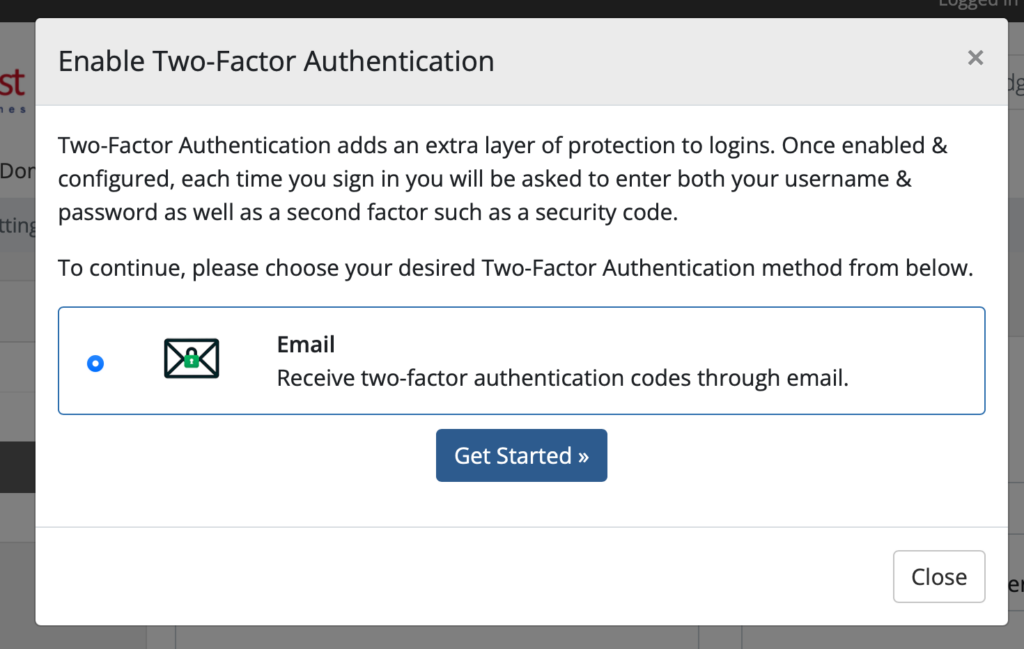
Step 3: Check your email for the code and enter it here, press “Active Now”
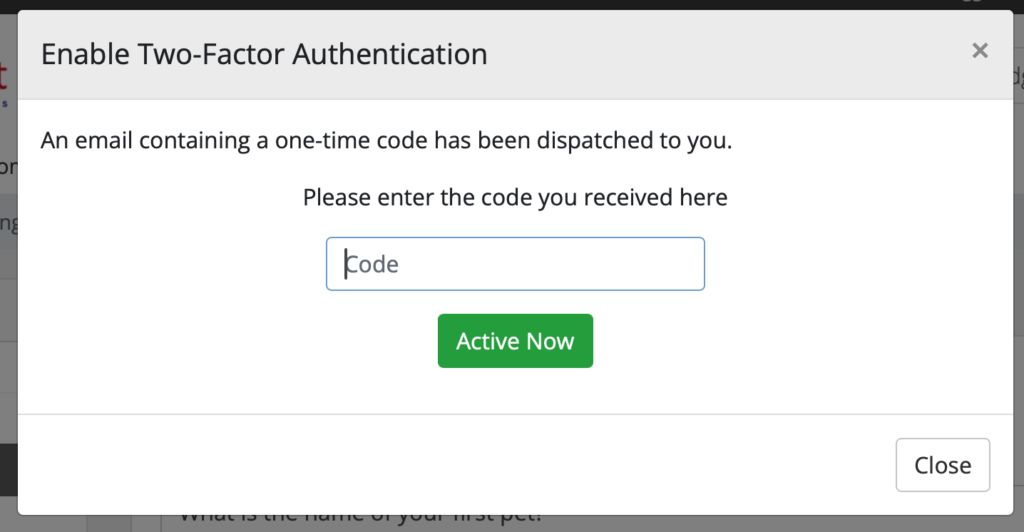
Step 4: Your setup is now complete. Save your backup code.
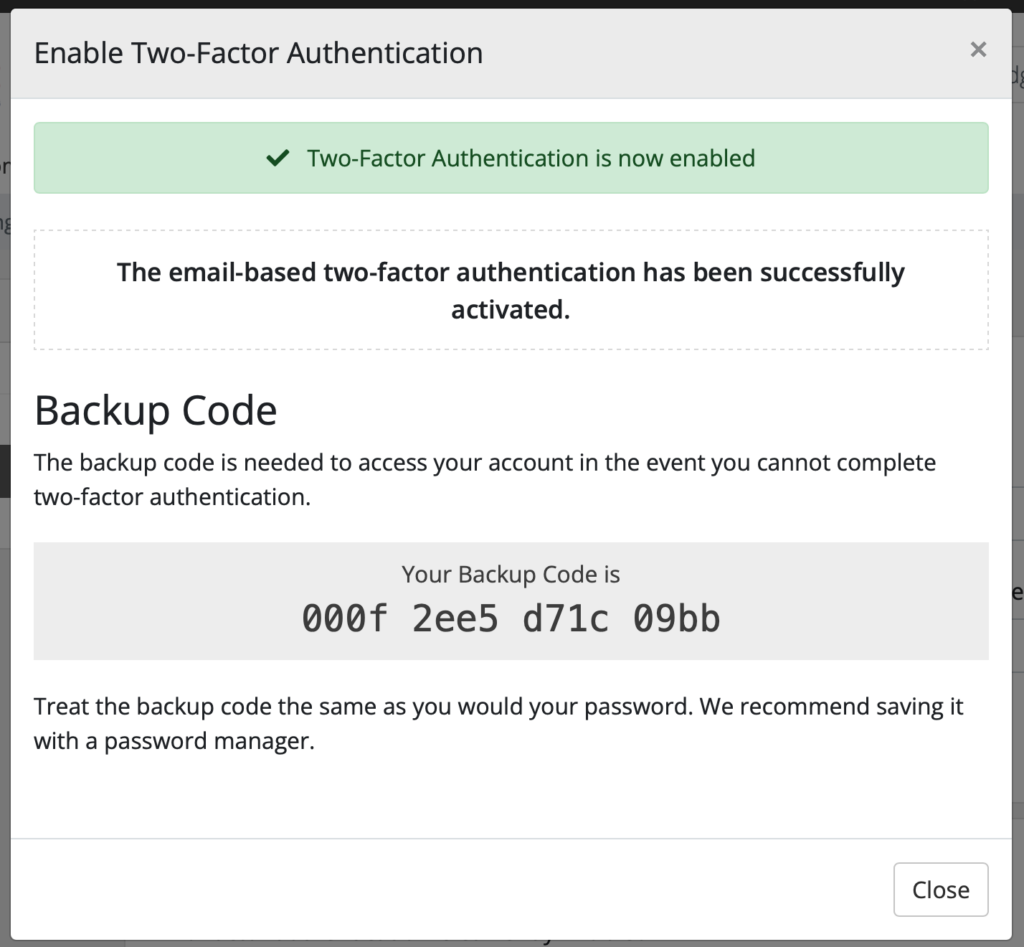
Step 5: You can now use the Client Area and all features are enabled.
Congratulations! Your Account is Now More Secure!
By setting up Email Two-Factor Authentication (2FA), you have added an extra layer of securityto your account. This means that even if someone ever gets hold of your password, they will not be able to access your account without the unique 2FA code sent to your email.
What This Means for You:
- Your account is now much harder to hack.
- You have better protection against phishing and unauthorized access.
- Every login attempt now requires both your password and a unique security code, making it twice as secure.
What’s Next?
- Always keep your email secure and never share your 2FA codes with anyone.
- If you ever change your email address, update it with us to avoid login issues.
- Want even stronger security? You can also explore Google Authenticator 2FA for even faster logins in the future.
If you have any questions or ever need help, our support team is always here for you.
Enjoy your safer and more secure account!
