Plesk backups

Back up a website in Plesk

Use Plesk Backup Manager to create a full or selected backup of website data. Download important backups so recovery does not depend on the same server.

Full or selectedChoose the scope needed for recovery.

Keep an off-server copyDownload important archives after creation.

Test restorationKnow which backup restores each component.

Create backup

Open Backup Manager for the subscription

  1. Open Plesk for the correct hosting service.
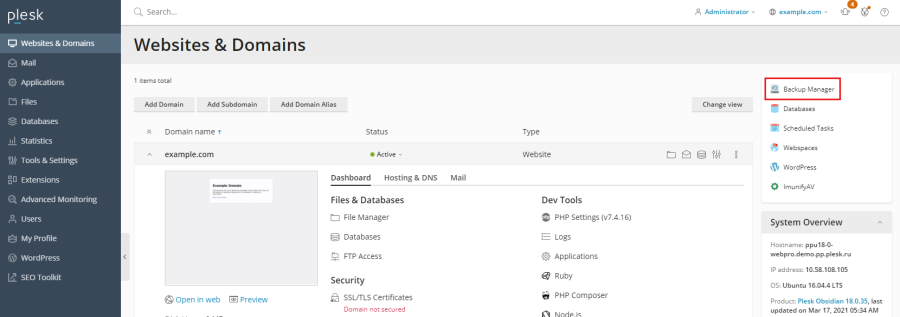
  2. Go to Websites & Domains and choose Backup Manager.
  3. Choose Back Up.
  4. Select a full backup or the website, database and mail components required.
  5. Choose whether to include logs and notification options, then start the backup.
  6. Wait for successful completion and review any warning shown.

Independent copy

Download important backups

Server-resident backups can be affected by storage failure, account removal or server-level incidents. Download critical archives to encrypted local or independent storage and protect any password used for the archive.

Before restoring

Understand what will be replaced

A restore can overwrite current files, databases, mail or settings. Take a fresh backup first, select only the required components and schedule disruptive work appropriately.

Do not restore blindly on a live site.

Confirm the backup date and scope, especially when orders, messages or edits have occurred since it was created.

Was this answer helpful?

« Back